
Charging costs
Know where
your money goes.
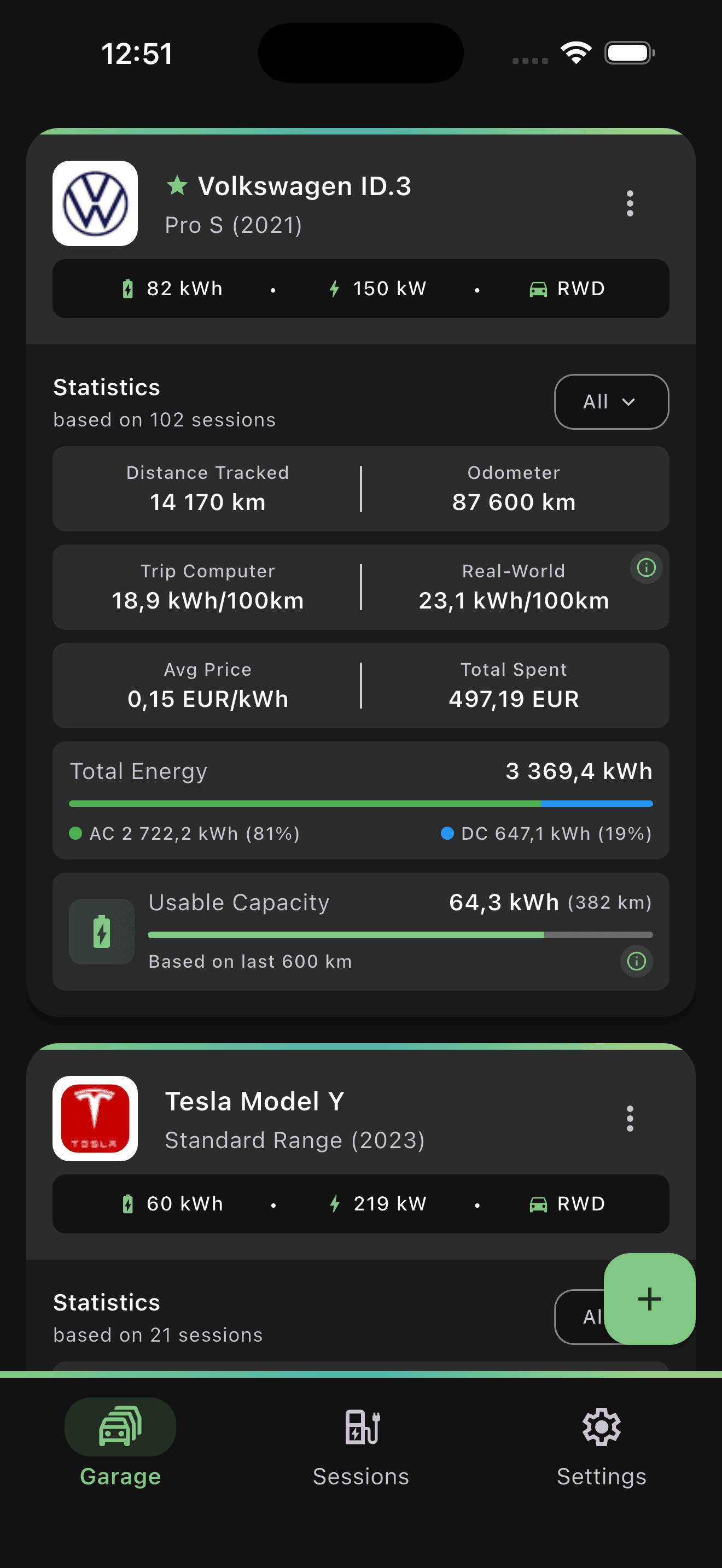
See total spend, average price per kWh, energy added, and your AC/DC breakdown in one place.
€497.19All-time spend · 102 sessions
Example charging data
EV charging tracker · iOS & Android
Turn dashboard and charger photos into editable charging sessions. See what you spend and how efficiently you drive.
Start free. Includes 10 Photo Fill sessions.
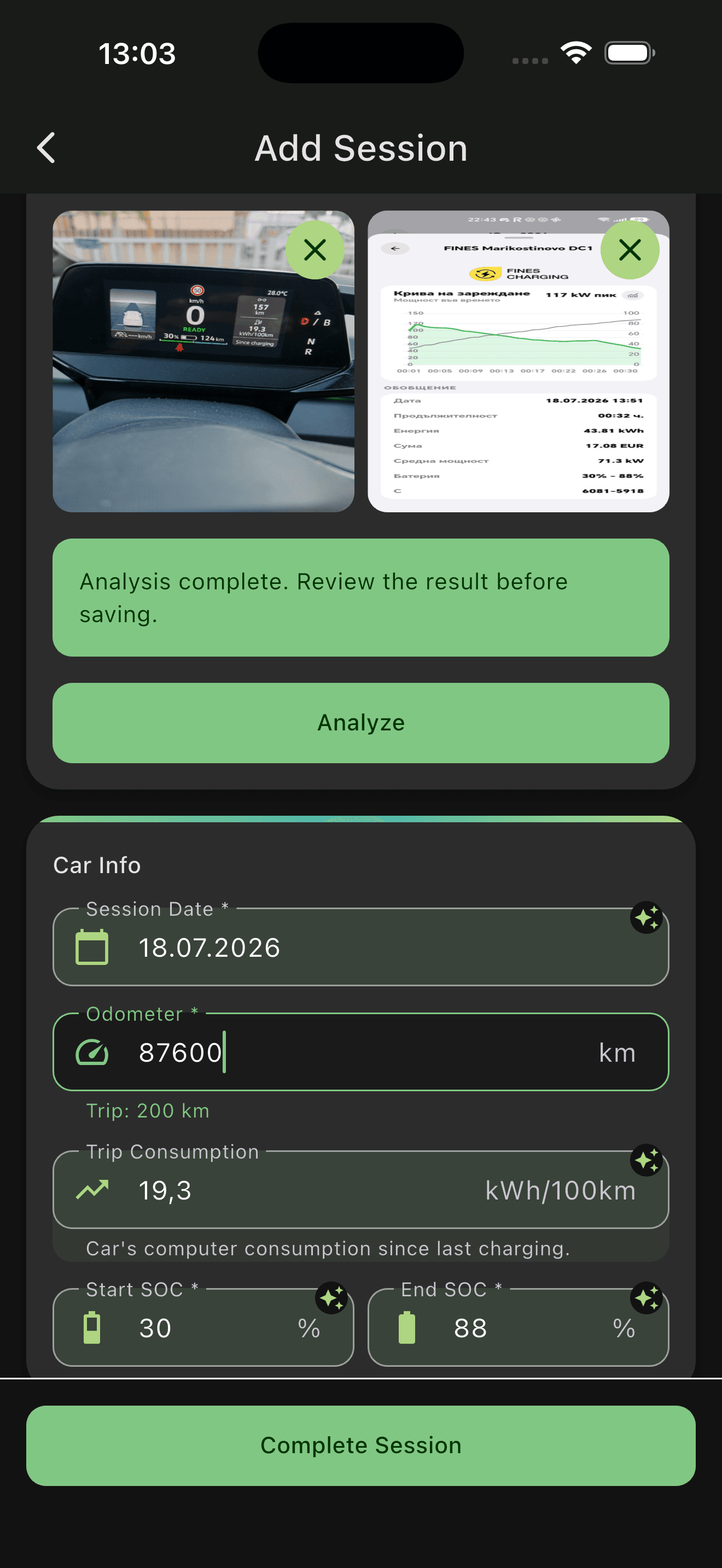
Your photos. Details filled.Review, edit, and save.
01 / A little less effort
The details are already in your photos. Bring them into your charging log with Fill from Photos.
Add up to 4 images from your camera or gallery: your dashboard, a charger display, or a charging-app screenshot.
Online analysis fills matching values when visible, including battery levels, energy, duration, and cost. Review and edit before saving.
Add a new charge or complete an in-progress session. Your next insight starts with this record.
Analysis requires an internet connection and may not fill every field.
02 / A clearer picture
Useful for everyday decisions.
Detailed enough for the curious.
Charging costs
See total spend, average price per kWh, energy added, and your AC/DC breakdown in one place.
Example charging data
Real-world efficiency
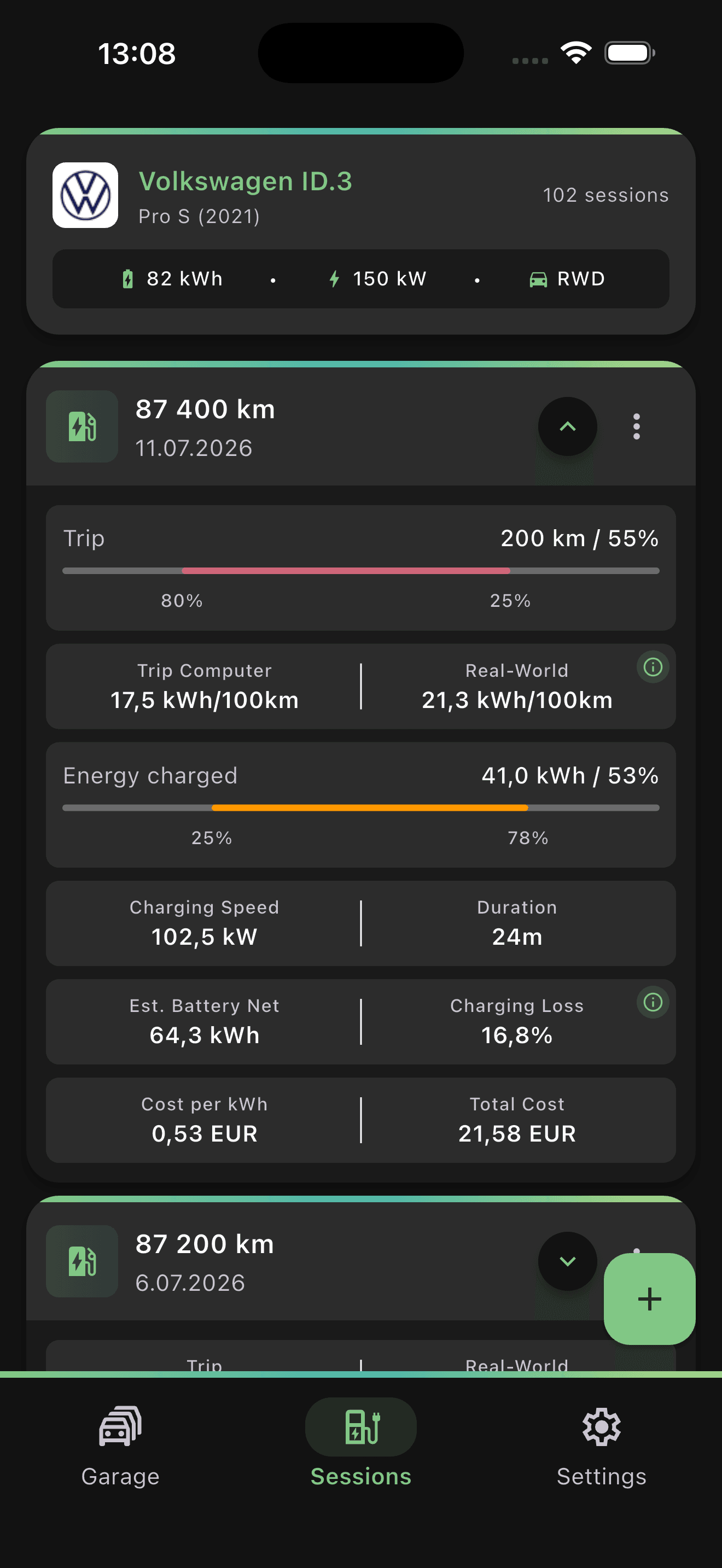
Compare trip-computer consumption with calculated real-world consumption from your charging and driving data.
Battery estimates
Explore estimated usable capacity, degradation, and driving range derived from your recorded sessions.
These are estimates, not vehicle diagnostic measurements. Accuracy depends on the completeness and accuracy of your records.
How the estimates work03 / Made for your routine
At home, on the road,
and wherever you charge next.
Plug in, start a session, and complete the details after charging.
Convert charging costs across 22 currencies with live or manual exchange rates.
Choose kilometers or miles and the consumption units that make sense to you.
Use WattMate in English, German, French, Dutch, Norwegian, Spanish, or Portuguese.
Sync your charging history to your account and pick it up across devices.
Import and export charging history in WattMate’s CSV format, in both Free and Premium.
Try your first charging log. Choose Premium when you need more room.
Free to start
Your first vehicle and charging sessions.
€0.99/month
or €8.49/year
Prices are shown in EUR. Final pricing may vary by region and store.
Both plans include core insights, cloud sync, and CSV import/export. Premium subscriptions use localized pricing and are managed in the app.
Your questions about WattMate.
WattMate is an EV charging tracker for iOS and Android. Turn dashboard and charger photos into editable charging sessions, then track charging costs, real-world efficiency, and battery estimates.
Choose up to 4 camera or gallery images, including dashboard photos, charger displays, and charging-app screenshots. Online analysis fills supported details when visible. Review and edit the results before saving a new session or completing an in-progress one. It requires an internet connection and may not fill every field.
Free includes 1 vehicle, 15 charging sessions, and 10 lifetime Photo Fill sessions per account, with up to 3 successful analyses per session. These allowances do not reset monthly. Unsuccessful analyses do not consume the successful-result allowance; a successfully filled draft still counts if discarded. Premium removes these product quotas; normal service protections still apply. Core insights, cloud sync, and CSV import/export are included in both tiers. Monthly and yearly Premium plans are managed in the app. See current pricing in the app.
Yes. Account creation is required to use WattMate and sync your charging history across devices.
Your selected images are sent to an external AI processor for online analysis. WattMate does not keep persistent photo copies in your account or database, but processors may retain data under their own policies. Read about current processors and retention in our Privacy Policy
Choose your EV from WattMate's supported vehicle catalog. You can give a selected vehicle a custom display name; this does not add an unsupported model or custom vehicle specifications. Check the catalog in the app for your model.
WattMate compares trip-computer consumption with calculated real-world consumption using your recorded charging and driving data. Usable battery capacity, degradation, and driving range are estimates, not vehicle diagnostic measurements. Their accuracy depends on the completeness and accuracy of your recorded sessions.
Yes, in both Free and Premium. Export your history in WattMate's CSV format and use that format to import sessions. Importing replaces the selected vehicle's existing history after a successful import; it does not automatically merge records or accept arbitrary spreadsheets. Export a copy of your history before replacing it.
Your next charge is a good place to start
Start your charging log with WattMate.
Available on iOS and Android.
Start free. Includes 10 Photo Fill sessions.